

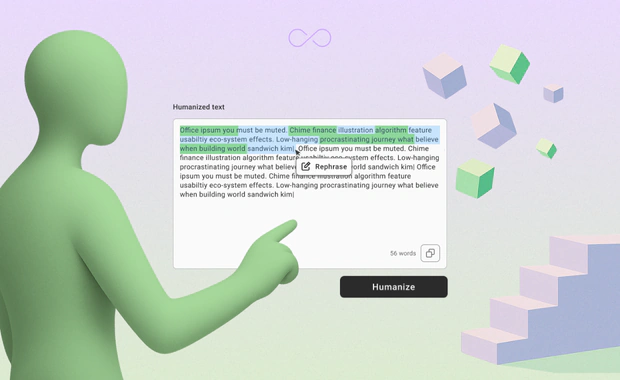
We’re excited to introduce a new feature inside the GPTinf Humanizer: Selective Rephrase — a simple way to rephrase only the specific parts of your output that still sound wrong.
Instead of rehumanizing your entire text from scratch, you can now highlight just one sentence or paragraph and rephrase it instantly. It’s faster, cleaner, and gives you full control over the final result.
Why We Built Selective Rephrase
Sometimes your humanized text is 90% perfect, but that one paragraph feels off.
Or AI checker flags just a small part of your article.
Or you see a sentence that doesn’t flow with the rest.
Previously, you had to rehumanize the whole text, which:
-
changed the parts you already liked,
-
cost more words (for Free & Lite users),
-
broke the tone and structure you already had.
Selective Rephrase solves that.
You get local edits, not full rewrites.
How Selective Rephrase Works
1. Humanize your text as usual
You’ll see the output on the right side.
2. Highlight the part you want to improve
In the humanized text box on the right side, select the text. This can be a phrase, sentence, or paragraph.
Minimum: 30+ words
Maximum: none!
3. Click the “Rephrase” button
A small pop-up appears above your highlighted text. After you clicking it, you've entered the Rephrase mode.
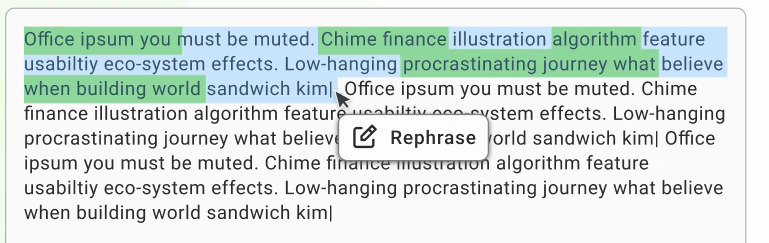
4. GPTinf rephrases only the selected area
The loader appears. Then, you’ll see:
-
green highlights for changed words,
-
blue highlights for rephrased sentences,
-
the rest of the text untouched.
5. Accept or paraphrase again
Click the ✓ to confirm the rephrase if you are happy with the results. Click Rephrase again to try another version.
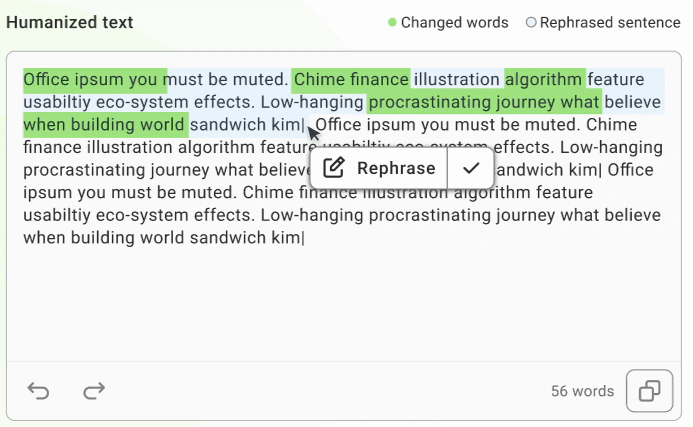
5. Browse multiple versions
There are left- and right-arrow buttons in the lower corner. Once you've rephrased multiple times the same selection, these will allow you to scroll through various rephrased variants of your selection.
-
Click → to see the next version
-
Click ← to go back to a previous one
-
Every arrow click updates only the selected text
-
The rest of your document stays exactly the same
6. Accept the version you like
When you find the best variant, hit the ✓ button to apply it to your document.
If you want to try again, just highlight the section and rephrase once more.
Feature Requirements
To use Selective Rephrase:
-
You must select at least 30 words
(we want to avoid unnecessary micro-edits that break coherence)
Recommendation: don't rephrase more than 90% of the text in a single action. If you are unhappy with most of the humanized output, it's better to rehumanize the entire text.
These rules ensure better, more predictable output.
Plan Availability
Selective Rephrase availability will depend on your GPTinf plan.
-
Free users
→ 3 attempts included
→ Does not deduct from word balance -
Lite users
→ Not included -
Pro users
→ Unlimited Selective Paraphrase: always available, no restrictions -
Unlimited users
→ Unlimited Selective Paraphrase: always available, no restrictions
If you need more attempts or want unlimited use, you can upgrade anytime — either in your dashboard on the Account page, on the Pricing page, or by clicking the button below!
Why It Makes Your Workflow Faster
Selective Rephrase:
-
saves time,
-
saves credits (for Free users),
-
gives full control,
-
keeps your best sentences intact,
-
reduces frustration from unwanted rewrites.
It’s just how rewriting should feel — controlled, selective, and quick. Try now!